KDE Plasma - Show in all activities by default
How to set a program to appear in all activities on startup

For those unaware the KDE Plasma desktop environment for Linux has a superpower called 'Activities'. As the name implies it is a way to organize your work based on type. "What is the difference between an activity and virtual desktop?" I hear you ask. In a sense they are the same, but an activity sits above desktops in the hierarchy. So an activity can have many virtual desktops, but a desktop cannot have more than one activity assigned to it. Let's just say that I personally love the activity feature and have never been much for virtual desktops. I have even set a shortcut to Meta+Tab to switch between activities, which is very similar to the Alt+Tab you would use to switch between windows. The flow just works.
Anyway, this article was not supposed to be about activities per say. If I have peaked your interest about activities I encourage you to check them out more!
Now, one thing that can be annoying is that if you open a program it will of course live in the activity you opened it in. You can of course move a program between activities, or choose to show it on all activities, but by default it will show up where you opened it. This being KDE you can of course override such behavior, but finding the specific place to do this can be tricky. Being a bit of niche subject trying to search for articles about this online did not yield much help. Hence this article. So here is where to find what you need:

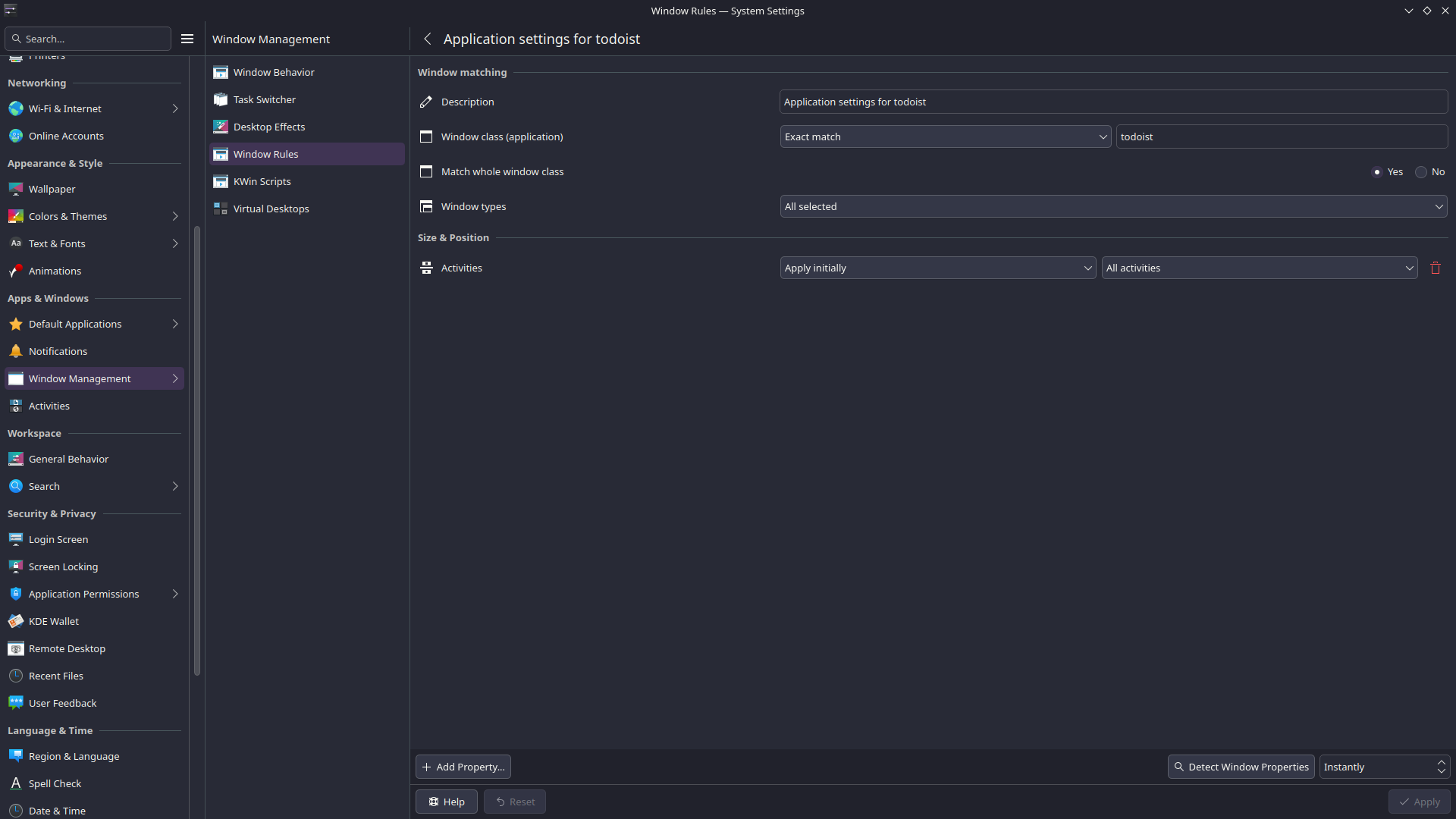
The setting is called 'Window Rules', hidden under 'Window Management' in the System Settings. It's format is a bit archaic. For one, you need the 'Window class application)' for your desired program. Thankfully you can use the option 'Detect Window Properties' and click the program in question. This lists all the current settings for that window, including it's window class name. Using an exact match you can make so every time this application opens the same thing happens. Want an application to always open in Fullscreen? No problem. Want to open it on a specific Virtual Desktop? Of course you can do that. And if you want an application to open on all activities at once? I guess it goes without saying that works too.
It never ceases to amaze me how much you can tinker and configure in KDE Plasma. Even after more than five years using the same desktop I still find new and interesting things.